Open & Import Guitar Pro Files (.gp3, .gp4, .gp5, .gtp)
Have tabs as a Guitar Pro file? Tabinator opens .gp3, .gp4, .gp5 and .gtp files right in your browser – no Guitar Pro, no installation, no sign-up. Your file stays on your device.
Open a Guitar Pro file
Simply drag and drop your tablature file into Tabinator's browser window.
As soon as you drag the file over the window, Tabinator displays a blue drop zone:
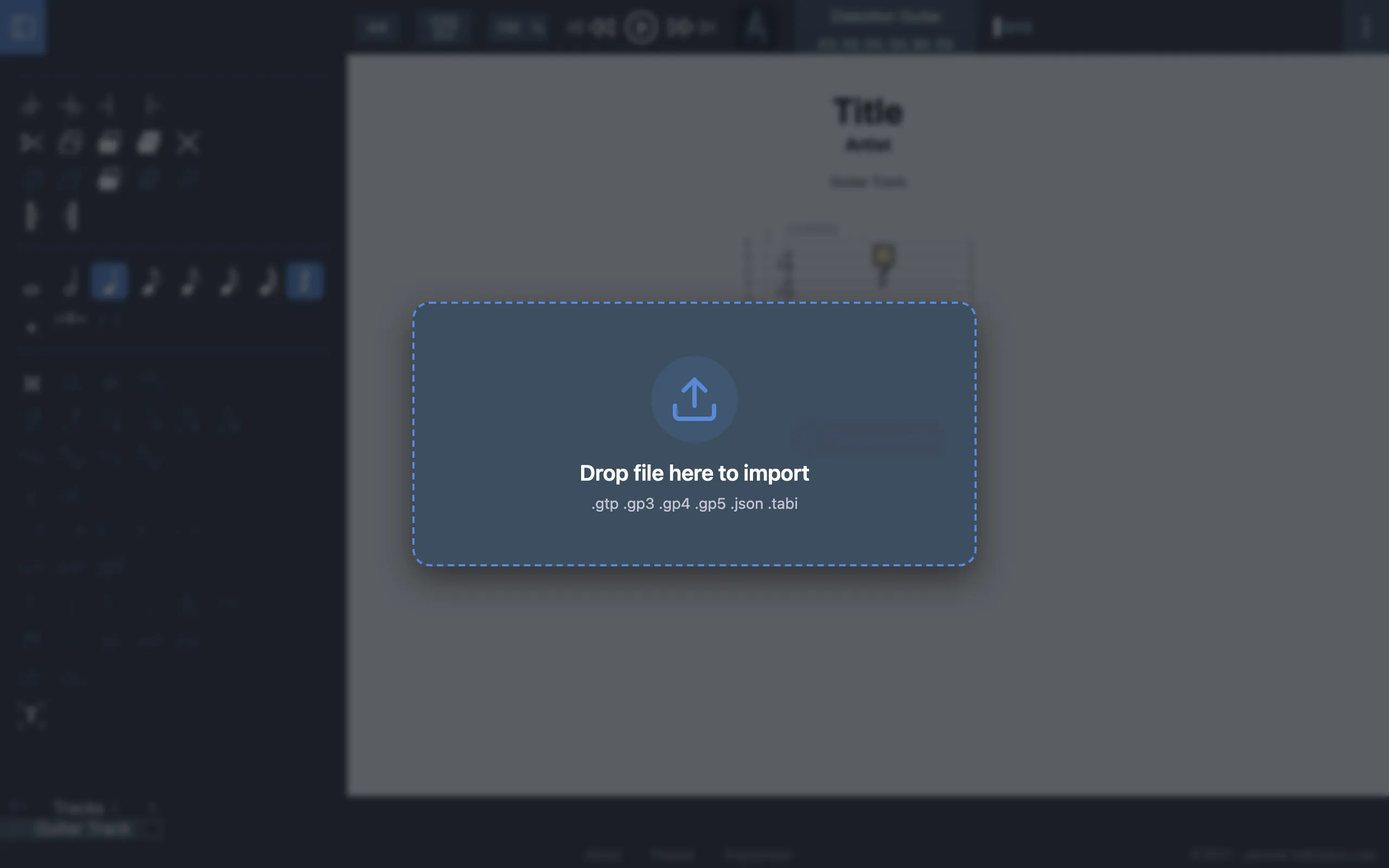
Release the mouse button. The song is imported and ready to play and edit right away.
Alternatively via the menu: Click the 3-dots menu in the top right corner and select “import”. Your operating system's standard file dialog opens, allowing you to select your file.
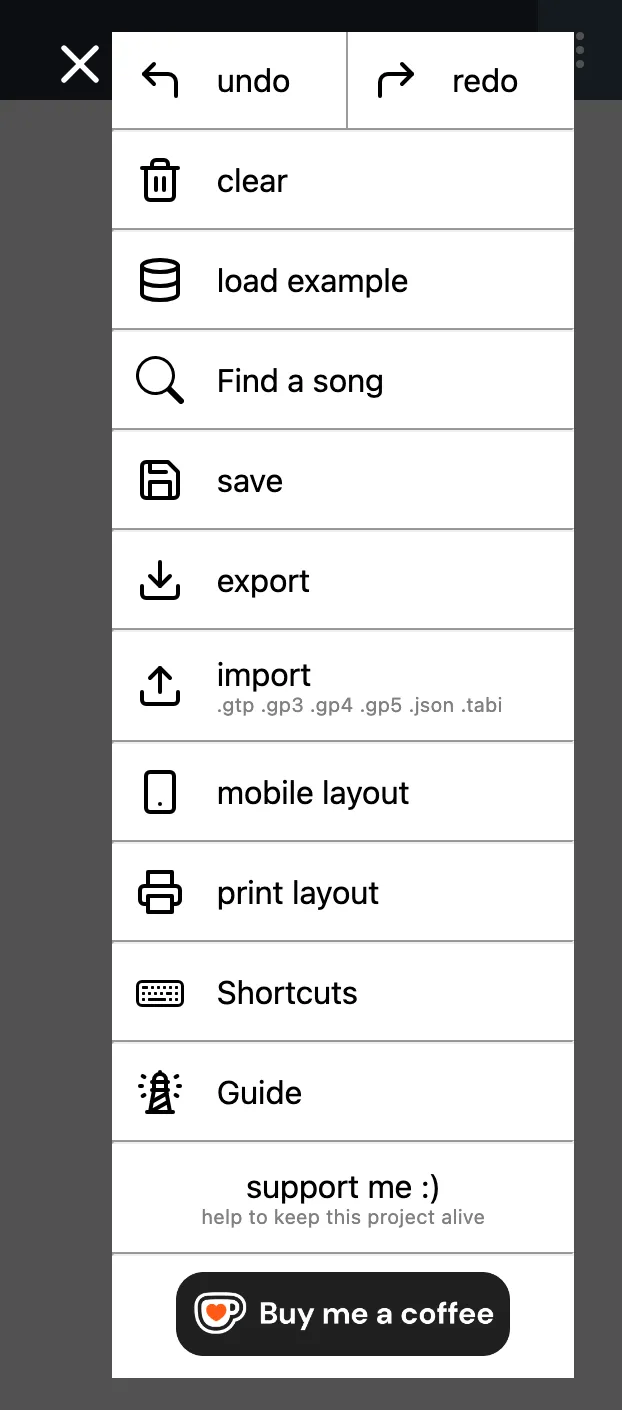
On a smartphone, you open files through the menu instead of drag & drop: Tap the 3-dots menu in the top right corner.
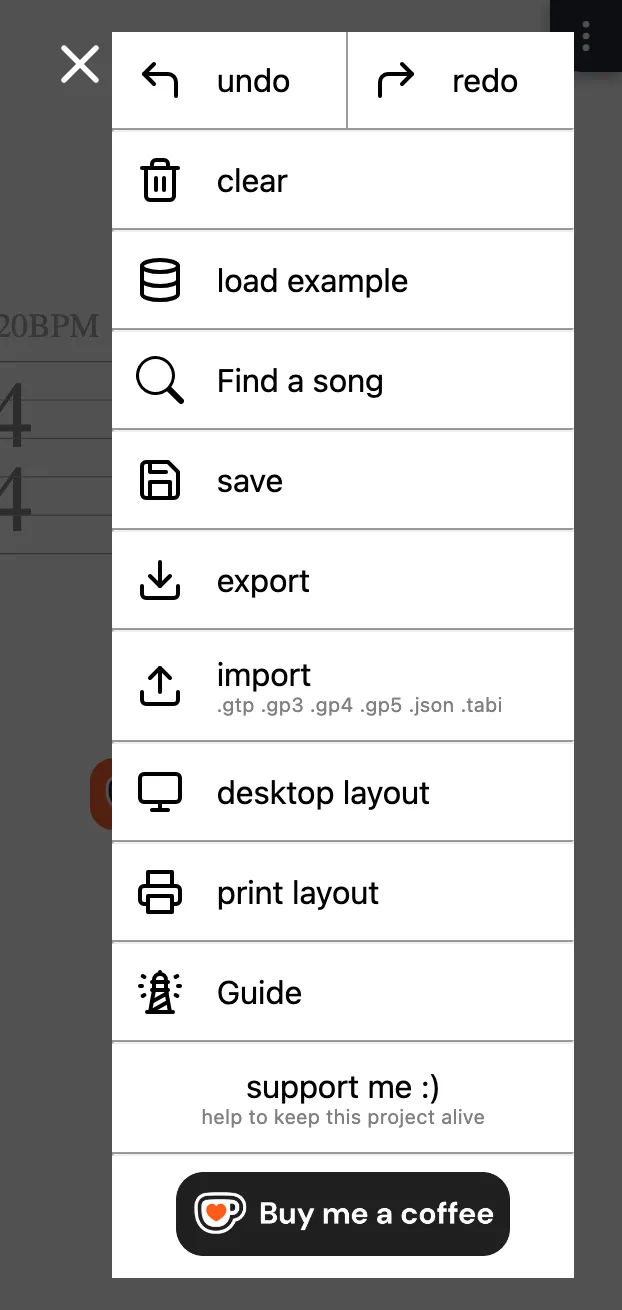
Tap “import” in the menu. This opens your phone's file picker (e.g. the Files app on iOS or your file manager on Android). Select your song – done! The song loads immediately.
Loaded and ready!
Your song is now loaded in Tabinator. You can inspect all tracks, slow down playback speed, loop tricky sections, or make edits. The “Getting Started” guide explains how playback and looping work.
Supported file formats
Tabinator opens files in these Guitar Pro formats: .gtp (Guitar Pro 1 and 2), .gp3 (Guitar Pro 3), .gp4 (Guitar Pro 4) and .gp5 (Guitar Pro 5). Tabinator's own formats .tabi and .json work too. When importing, Tabinator keeps all tracks and effects of your file.
.gpx (Guitar Pro 6) and .gp (Guitar Pro 7 and 8) are not supported. The next section explains how to use such files anyway.
Also check out the guide on finding tabs to find your favorite songs.
Convert newer Guitar Pro files (.gp, .gpx)
If you own Guitar Pro 7 (version 7.0.4 or later) or Guitar Pro 8, you can convert newer files there into a format Tabinator can open: open the file in Guitar Pro and choose File → Export → GP5. Then open the resulting .gp5 file in Tabinator as described above.
Simply renaming the file extension does not work, because the contents of the file stay the same. Exporting to the older format may lose newer features, so keep the original file.
Frequently asked questions about opening Guitar Pro files
Can I open a Guitar Pro file without owning Guitar Pro?
Yes. Tabinator opens .gtp, .gp3, .gp4 and .gp5 files right in your browser. You don't need Guitar Pro, an installation or an account.
Are my files uploaded to a server?
No. Your song is only loaded in the browser on your own device. No data is sent to a server.
Why can't I open my .gp or .gpx file?
Tabinator supports the formats .gtp, .gp3, .gp4 and .gp5. Files from Guitar Pro 6 (.gpx) and Guitar Pro 7 or 8 (.gp) need to be converted in Guitar Pro first via File → Export → GP5.
Can I edit and print imported tabs?
Yes. After importing, you can play the song, edit it and print it using the print view.
More Guides
- Getting Started: Load a Sample Song & Play Tabs The perfect start: open Tabinator, load a sample song, switch between tracks and play it back – on desktop and on your smartphone.
- Find Guitar Tabs & Download Guitar Pro Files Search for tablatures of your favorite songs with the integrated search, download Guitar Pro files, and open them directly in Tabinator.
- Practice Tabs: Slow Down, Loop Bars & Use the Metronome Play tabs at your own tempo, repeat difficult bars in a loop and practice with the metronome – for guitar, bass and drums.
Open a Guitar Pro file now
Drag your song straight into Tabinator – 100% free, no sign-up, and no software download.
Open Tabinator